Environment editor
Step-by-step instructions for creating custom Robot tasks with the built-in environment editor.
-
The environment editor is in editor/editor.py. Download the module archive from GitHub Releases and from the unpacked archive run:
python editor/editor.py -
Create as many environments as the task needs.
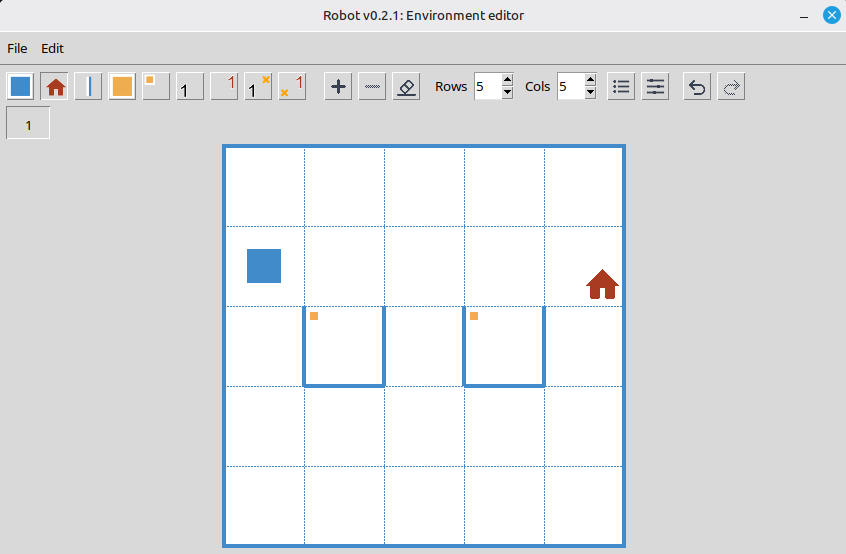
Environment editor. -
Save the task file to the robot/tasks folder.
-
In your Python program, call task() with the file name without the .env extension.
from robot import *

task("robot")
Note
The editor saves task conditions (todoText) as a plain string, or edits one locale at a time when the file already contains localized text. To manage every translation, edit the file manually.
The editor can set solution constraints (toolbar constraints button):
- Max Robot commands and function calls (
operatorsLimit) - Min custom function calls (
customFunctionCallCount) - Max 'if' keywords (
ifLimit) - Max 'while' keywords (
whileLimit) - Required keywords (comma-separated) (
requiredKeywords) - Banned keywords (comma-separated) (
bannedKeywords)
Online environment editor
Create and edit task environments in the browser without installing the module.
- Supports smaller environments: up to 8 rows by 10 columns.
- Does not support setting solution constraints.